Free AI Room Planner Tools You Can Use Online Today
Have you ever wished you could redesign your room before buying furniture or repainting your walls? Do you want to visualize your dream bedroom, office, or living space without hiring an expensive interior designer?
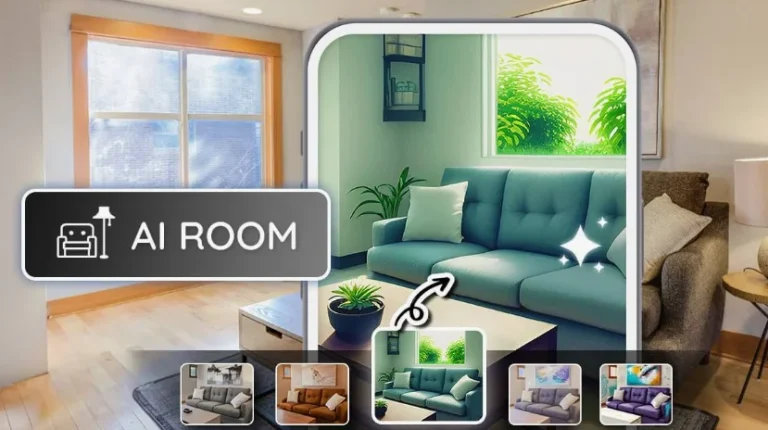
Free AI Room Planner tools make this possible. Today, artificial intelligence allows you to plan layouts, test furniture arrangements, experiment with colors, and visualize complete interior transformations directly from your browser. Whether you are redesigning a small bedroom, renovating a home, or planning a modern workspace, AI-powered room planning tools help you make smarter design decisions without technical skills.
In this complete guide, you will learn how AI room planners work, the best free tools available online, their benefits, practical usage tips, and how you can design professional-looking interiors step by step.
What Is an AI Room Planner?
An AI Room Planner is an online tool that uses artificial intelligence to help you design and visualize interior spaces digitally.
Instead of guessing how furniture or décor will look, AI allows you to:
- Upload room photos
- Create 2D or 3D layouts
- Rearrange furniture instantly
- Apply different interior styles
- Generate realistic room visualizations
These tools rely on computer vision, spatial recognition, and generative design models to simulate real-world interiors.
Many modern planners are inspired by advances in AI research from companies like OpenAI and visual computing innovation developed by NVIDIA.
Why AI Room Planning Is Becoming Popular
Interior design traditionally required professional software or expensive designers. AI changes everything.
Major Reasons People Use AI Room Planners
Cost Savings
You can experiment freely before spending money on furniture or renovation.
Instant Visualization
See results immediately rather than imagining outcomes.
Beginner-Friendly
No architecture or design experience required.
Faster Decision-Making
Compare multiple layouts quickly.
Online Accessibility
Most tools work directly in your browser without installation.
AI democratizes interior design; making it accessible to homeowners, renters, students, and businesses alike.
How AI Room Planner Tools Work
Understanding the workflow helps you maximize results.
Room Detection and Measurement
AI analyzes uploaded images or dimensions to understand space geometry.
Furniture Recognition
The system identifies objects such as beds, sofas, tables, and walls.
Style Generation
AI applies interior styles like:
- Minimalist
- Modern
- Scandinavian
- Industrial
- Luxury
- Contemporary
Real-Time Rendering
You instantly preview design variations with realistic lighting and textures.
Best Free AI Room Planner Tools You Can Use Online
Below are some of the most reliable free AI room planners available today.
1. Planner 5D
One of the most popular AI interior design tools.
Key Features
- 2D and 3D room design
- AI-generated layouts
- Drag-and-drop furniture
- Realistic rendering
Best for beginners and homeowners.
2. RoomGPT
An AI-powered redesign platform that transforms rooms using photos.
Key Features
- Upload room image
- Choose interior style
- Instant AI redesign
- Multiple variations
Perfect for quick visual inspiration.
3. Homestyler
A professional-level yet free interior planning tool.
Key Features
- Real furniture brands
- High-quality renders
- Floor plan creation
- Virtual walkthroughs
Ideal for detailed projects.
4. IKEA Kreativ
Developed by IKEA for home visualization.
Key Features
- Scan real room
- Remove existing furniture digitally
- Add IKEA products
- True-to-scale layouts
Excellent for furniture planning before purchase.
5. Floorplanner
Great for structural layout design.
Key Features
- Accurate measurements
- Floor plan builder
- 3D visualization
- Multi-room projects
Best for renovation planning.
6. Canva AI Design Tools
While primarily a graphic design tool, Canva now offers AI visualization helpful for mood boards and interior planning concepts.
Key Benefits of Using Free AI Room Planner Tools
Visualize Before Spending Money
Avoid costly decorating mistakes.
Experiment Without Risk
Try bold color schemes or layouts safely.
Improve Space Utilization
AI suggests smarter furniture placement.
Faster Renovation Planning
Plan entire homes digitally before construction.
Perfect for Small Spaces
Optimize apartments and compact rooms efficiently.
Step-by-Step Guide to Designing a Room with AI
Step 1: Measure Your Space
Collect:
- Room dimensions
- Window positions
- Door placements
Accurate input improves results.
Step 2: Upload or Create Room Layout
Choose between:
- Uploading a photo
- Drawing a floor plan
- Using template rooms
Step 3: Select Interior Style
Popular styles include:
- Modern minimalism
- Bohemian
- Classic luxury
- Japandi
- Industrial loft
AI adapts design elements automatically.
Step 4: Add Furniture and Decor
Drag and place:
- Beds
- Sofas
- Cabinets
- Lighting fixtures
- Rugs
- Wall art
Step 5: Generate AI Design Suggestions
Let AI propose layouts optimized for comfort, aesthetics, and flow.
Step 6: Render and Review
Switch between:
- Day/night lighting
- Camera angles
- 3D walkthroughs
Step 7: Export Your Design
Save images or share plans with family, contractors, or furniture stores.
Free AI Room Planner Tools Comparison Table
| Tool | Best For | Free Version | 3D Visualization | AI Design Suggestions |
|---|---|---|---|---|
| Planner 5D | Beginners | Yes | Yes | Yes |
| RoomGPT | Quick redesign | Yes | Yes | Yes |
| Homestyler | Advanced interior design | Yes | Yes | Yes |
| IKEA Kreativ | Furniture planning | Yes | Yes | Limited |
| Floorplanner | Layout planning | Yes | Yes | Moderate |
| Canva | Mood boards | Yes | Partial | Creative ideas |
AI Room Planning for Different Spaces
Bedroom Design
AI helps optimize bed placement, lighting comfort, and storage solutions.
Living Room Layout
Experiment with sofa positioning and entertainment areas.
Home Office Planning
Create productivity-focused layouts with ergonomic spacing.
Kitchen Design
Test cabinet arrangements and appliance placement.
Small Apartment Optimization
AI suggests multifunctional furniture arrangements.
AI Interior Design Trends Shaping Modern Homes
AI tools reflect current design movements.
Minimalist Smart Living
Clean layouts with less clutter.
Sustainable Design
Eco-friendly material suggestions powered by AI analytics.
Smart Home Integration
Designs compatible with automation systems like Google Nest and Amazon Alexa.
Personalized Interior Styling
AI adapts design suggestions based on your preferences.
Tips for Getting Professional Results with AI Room Planners
Use Real Measurements
Accuracy produces realistic layouts.
Try Multiple Styles
You might discover designs you never considered.
Focus on Lighting
Lighting dramatically changes room perception.
Balance Function and Beauty
A beautiful room must also be practical.
Combine AI Suggestions with Personal Taste
AI provides guidance; your personality completes the design.
Common Mistakes to Avoid
Ignoring Scale
Oversized furniture can make rooms feel cramped.
Overdecorating
Too many elements reduce visual harmony.
Forgetting Walking Space
Leave natural movement paths.
Depending Only on One Layout
Compare multiple AI designs before final decisions.
Who Should Use Free AI Room Planner Tools?
You will benefit if you are:
- Homeowners planning renovation
- Renters redesigning interiors
- Students decorating dorm rooms
- Real estate agents staging homes
- Interior design beginners
- Furniture buyers planning purchases
- Small business owners designing offices
AI removes traditional design barriers and makes professional planning accessible to everyone.
The Future of AI Room Planning
Interior design is entering a new era where artificial intelligence collaborates with human creativity.
Future AI planners may offer:
- Real-time AR room visualization
- Voice-controlled design editing
- Budget-based automatic furniture selection
- Climate-aware material suggestions
- Personalized AI interior designers
As generative AI continues evolving, home design will become faster, smarter, and highly personalized.
Frequently Asked Questions (FAQs)
Are AI room planner tools really free?
Most platforms offer free versions with optional premium features such as high-resolution renders or advanced furniture libraries.
Do I need design experience to use AI planners?
No. These tools are built for beginners with drag-and-drop interfaces.
Can AI accurately measure my room?
Photo-based tools estimate dimensions well, but manual measurements improve accuracy.
Are AI designs realistic?
Yes. Modern rendering engines produce highly realistic previews close to real-world outcomes.
Can I plan an entire house using AI?
Absolutely. Many tools allow multi-room or full-home planning.
Do professionals use AI room planners?
Yes. Interior designers and real estate professionals increasingly use AI for concept visualization.
Can AI help with small apartment layouts?
AI is especially effective for optimizing limited spaces and storage solutions.
Final Thoughts
Free AI Room Planner tools have transformed interior design from a complex professional task into an accessible creative experience. Instead of guessing how your room might look, you can now see, test, adjust, and perfect your design before making real-world changes.
By combining artificial intelligence with your personal taste, you gain the power to design spaces that are functional, beautiful, and uniquely yours. Whether you want a cozy bedroom, productive office, or modern living room, AI room planners allow you to experiment confidently without risk or cost.
Start exploring these free tools today, and you will discover that designing your dream space no longer requires professional expertise; only creativity and the smart assistance of AI.