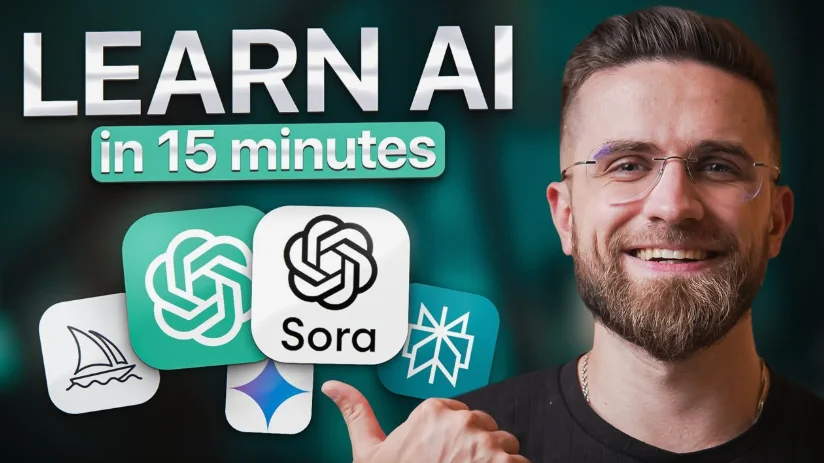
AI Tools Explained Simply for Non-Tech Users Today
Do you feel overwhelmed when people talk about artificial intelligence and automation? Are you wondering if AI tools can actually help you even without technical knowledge? You’re not alone. Many people believe AI is only for programmers or engineers, but modern AI tools are specifically designed for everyday users like you.
Thanks to organizations such as OpenAI, Google, and Microsoft, artificial intelligence is now accessible through simple apps and websites. This guide explains AI tools in clear, beginner-friendly language so you can confidently understand and start using them in daily life, business, studies, or personal productivity.
Understanding AI Tools in Simple Words
AI tools are software applications that perform tasks requiring human intelligence. Instead of manually completing work, you simply give instructions, and the system generates results.
Think of AI as a digital assistant that can:
- write content
- answer questions
- design graphics
- analyze information
- automate repetitive work
Modern tools rely on machine learning and natural language processing, but you don’t need to understand technical concepts. You interact with AI using normal human language.
For example, tools like ChatGPT allow you to ask questions or request tasks just like messaging a friend.
Why AI Tools Became Popular So Quickly
AI technology existed for years, but recent advancements made it user-friendly.
Earlier software required training and technical setup. Today, platforms integrate AI directly into everyday tools. Applications such as Canva introduced AI design assistants, while Grammarly automatically improves writing quality.
These developments removed barriers, enabling students, freelancers, entrepreneurs, and office workers to benefit from AI without specialized knowledge.
The rise of generative AI tools like Midjourney also demonstrated that creativity no longer requires advanced technical skills.
How AI Tools Work Without Technical Complexity
At its core, AI learns from massive datasets.
Imagine teaching someone by showing thousands of examples. Over time, they recognize patterns and make predictions. AI follows the same principle.
Here’s the simplified process:
- AI studies large volumes of information.
- It learns patterns and relationships.
- It predicts helpful responses based on your request.
When you type a prompt, the AI doesn’t “think” like humans; it calculates the most useful answer based on previous learning.
Your role is simple: describe what you want clearly.
Major Categories of AI Tools You Can Use
AI Writing Assistants
Writing tools help you generate professional content quickly. Platforms like Jasper AI and Copy.ai create blog posts, emails, advertisements, and social media captions within seconds.
These tools are helpful for bloggers, marketers, students, and small business owners who want faster content production.
AI Image and Design Tools
Graphic design once required complex software training. Now AI design tools allow you to create visuals simply by describing ideas.
Tools such as DALL·E and Adobe Firefly transform text instructions into images, logos, or marketing graphics.
Even beginners can produce professional designs without design experience.
AI Productivity and Work Automation Tools
AI productivity platforms help organize work, summarize meetings, and automate repetitive tasks.
Applications like Notion AI and Microsoft Copilot assist with note-taking, planning, and workflow automation.
These tools act as personal assistants that reduce daily workload.
AI Chatbots and Digital Assistants
AI chatbots provide instant responses and support learning or business operations.
Examples include Google Gemini and Claude. They help brainstorm ideas, answer questions, generate summaries, and support customer communication around the clock.
AI Video and Audio Creation Tools
Creating videos or podcasts traditionally required editing skills. AI tools simplify the process. Platforms like Pictory and Descript automatically convert text into videos, edit audio, and generate subtitles. This enables content creators to produce professional media quickly.
Benefits of AI Tools for Non-Tech Users
AI tools offer practical advantages that directly impact productivity and creativity.
Time Efficiency: Tasks completed in minutes instead of hours.
Ease of Use: No programming or technical setup required.
Cost Savings: Many tools provide free or affordable plans.
Enhanced Creativity: AI generates ideas and suggestions instantly.
Improved Productivity: Users focus on decision-making rather than repetitive tasks.
AI empowers individuals to achieve more with fewer resources.
Common AI Terms Explained Simply
| Term | Meaning in Simple Language | Everyday Example |
|---|---|---|
| Artificial Intelligence | Machines performing intelligent tasks | Chatbots answering questions |
| Machine Learning | Learning from examples | Email spam filters |
| Prompt | Instruction given to AI | “Write a blog post” |
| Automation | Work done automatically | Scheduled responses |
| Generative AI | AI creating new content | AI-generated images |
How Beginners Can Start Using AI Tools
Starting with AI is easier than most people expect.
Choose One Tool First: Avoid learning many tools at once.
Use Clear Instructions: Specific prompts produce better results.
Experiment Regularly: Practice improves outcomes quickly.
Combine Tools: Writing, design, and productivity tools work best together.
Review Outputs: Always verify information before using it.
Consistency matters more than technical knowledge.
Everyday Examples of AI Around You
You may already use AI daily without realizing it.
Streaming recommendations on Netflix analyze viewing habits. Smart replies in Gmail suggest responses automatically. Navigation systems like Google Maps predict traffic routes, while voice assistants such as Siri respond to spoken commands.
AI quietly enhances many everyday digital experiences.
How Students Benefit from AI Tools
Students can use AI as a personal learning assistant. AI helps summarize textbooks, explain complex concepts, generate study notes, and improve writing clarity. Language learners benefit from translation and grammar correction features. When used responsibly, AI supports learning rather than replacing it, helping students understand topics faster and study more efficiently.
How Small Businesses Use AI Successfully
AI tools allow small businesses to compete with larger companies.
Business owners use AI for:
- marketing content creation
- customer service automation
- social media management
- data analysis
- sales optimization
Even solo entrepreneurs can manage operations efficiently using automation powered by AI.
Common Misconceptions About AI
Many fears about AI come from misunderstanding.
AI will replace humans: AI assists rather than replaces creativity and decision-making.
AI requires technical skills: Modern tools are built for beginners.
AI is always correct: Human verification remains essential.
AI is expensive: Many tools offer powerful free versions.
Understanding these realities helps users adopt AI confidently.
Risks and Responsible Use of AI
While AI offers benefits, responsible usage is important. Avoid sharing sensitive personal data. Verify facts generated by AI systems. Maintain critical thinking instead of depending completely on automation. Ethical use ensures AI remains a positive tool for productivity and innovation.
The Future of AI for Everyday Users
Artificial intelligence is becoming as common as smartphones. Companies such as NVIDIA and Amazon are investing heavily in AI infrastructure, making tools faster, smarter, and more accessible. Future developments may include AI personal assistants managing schedules, automated business operations, and highly personalized education experiences. The key skill of the future will not be coding; it will be knowing how to collaborate with AI.
Best Practices for Non-Tech Users
To maximize AI benefits:
- Start simple and learn gradually
- Focus on solving real problems
- Practice prompt writing daily
- Stay updated with new tools
- Use AI as assistance, not replacement
Small consistent usage leads to major productivity improvements.
Frequently Asked Questions (FAQs)
Do I need technical knowledge to use AI tools?
No. Most AI platforms are designed for beginners and require only basic computer skills.
Are AI tools free to use?
Many AI tools provide free versions with powerful features suitable for individuals and small businesses.
Can AI help with online earning?
Yes. People use AI for freelancing, blogging, digital marketing, content creation, and automation services.
Is AI safe for students?
Yes, when used responsibly for learning assistance rather than copying work blindly.
How quickly can I learn AI tools?
Most users become comfortable within a few days of experimentation and regular practice.
Which AI tool is best for beginners?
AI chatbots and writing assistants are typically the easiest starting point.
Will AI replace jobs completely?
AI will transform work roles, creating new opportunities while automating repetitive tasks.
Final Thoughts
AI tools are no longer complex technologies reserved for experts. They are practical, accessible assistants designed for everyday users like you.
You don’t need coding skills or technical expertise. By starting small, experimenting regularly, and learning how to communicate clearly with AI tools, you can dramatically improve productivity, creativity, and efficiency.
The future belongs to people who learn how to use AI effectively, not those who fear it. And now, you already understand the foundation to begin your AI journey confidently.